TL;DR
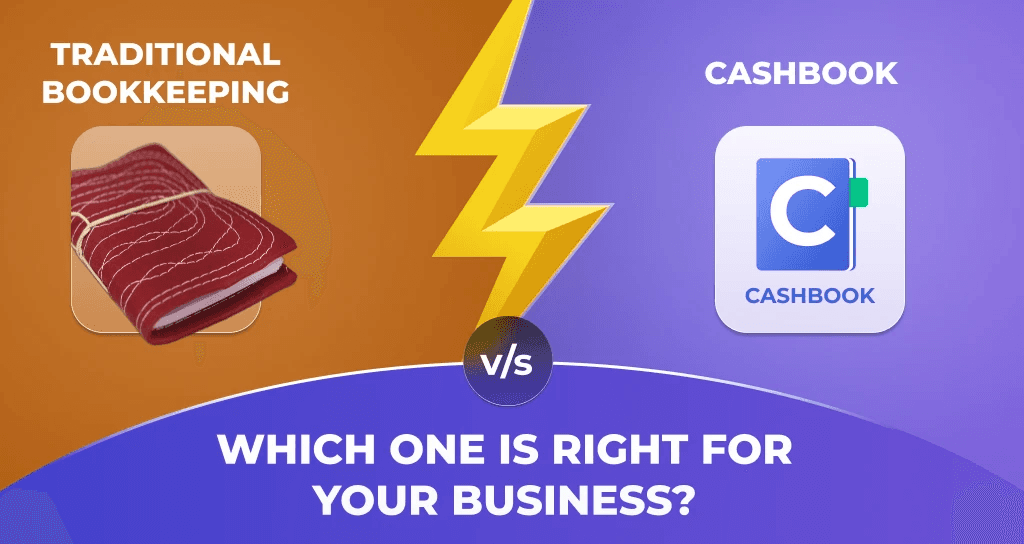
Traditional bookkeeping means paper khata, manual ledgers, and a CA who spends days fixing your books before filing.
CashBook Bookkeeping is a mobile app used by 1,00,000+ paying Indian businesses to record income, expenses, sales, and udhar in seconds, in 6+ Indian languages.
For almost every Indian small business, CashBook beats paper. Daily users save 4 to 8 hours a week and pay less to their CA.
Stick with paper only if you do fewer than 20 entries a month, have no team, no udhar, and no GST.
Over 70 million Indian small businesses still keep their books on paper. But your customers have moved on to UPI and WhatsApp. So has the tax department. So has your CA.
This guide answers one question: should you stay on paper, or move to CashBook? We compare the two side by side, walk through real business examples, share pricing, and finish with a five-step plan you can run this weekend. No jargon. No western accounting theory. Just what actually works for Indian small businesses.
What is traditional bookkeeping?
Traditional bookkeeping is writing cash-in and cash-out by hand, in a paper khata, register, or basic Excel sheet, and matching the totals once a month.
India has done it this way for generations. The shopkeeper writes the day's sales in a notebook. The fuel station owner counts cash at closing. The textile trader notes udhar in a separate khata. At month-end, the CA decodes the handwriting and produces a P&L.
What paper gets right
No app to learn, no internet needed
A ₹50 khata lasts a year
Familiar to everyone in your supply chain
You can flip through it on the counter, no "where is my data" panic
This is why paper has survived. It is not stupid. It is just expensive in ways you don't notice on day one.
What paper bookkeeping actually costs you
The ₹50 is not the price. Everything else is.
Time cost. Most owners spend 4 to 10 hours a week on paper books. At ₹500 an hour of your time, that is ₹10,000 to ₹20,000 a month gone to work no customer pays you for.
Lost transactions. Pages tear. Khatas get wet. Receipts fade in the humidity. A 2023 Khatabook survey found nearly 30% of small business owners had lost a full month or more of paper records at some point. Every lost record is a lost deduction.
Higher CA bill. Every GST return and ITR filing becomes a detective job. Your CA charges by the hour. Most Indian SMBs pay their CA 30 to 50% more than they need to, simply because the books arrive in chaos.
Hidden tax cost. Missed receipts mean missed GST input. Inflated income means higher tax. Small businesses routinely overpay tax because their books cannot defend the deductions they are legally entitled to.
No decision data. Paper tells you cash in the box. It cannot tell you which product is most profitable, which customer is bleeding you on udhar, or whether fuel costs are creeping up.
Sharing is broken. Only one person can hold the book at a time. Partner, son, manager, CA. Disputes happen. Trust erodes.
A typical retail SMB doing ₹50 lakh turnover loses ₹50,000 to ₹2,00,000 a year to the hidden costs of paper. The "free" khata is the most expensive software in your business. Want to see your own number? Try our saving calculator.
What is CashBook?
CashBook is a Bengaluru-based fintech, backed by Y Combinator, with two products built for Indian SMBs.
CashBook Bookkeeping is the mobile bookkeeping app. It is what this guide is about.
CashBook Spend is the UPI wallet platform for managing employee and field expenses.
The two work together but each can be used on its own. The numbers behind CashBook Bookkeeping:
50,00,000+ downloads on Play Store
4.5/5 average rating
1,00,000+ paying Indian businesses
6+ Indian languages including English, Hindi, Bangla, Gujarati, and Marathi
75% of paying users are daily-active, the strongest signal that the product is actually useful
CashBook Bookkeeping is built for solo shopkeepers, retail and wholesale businesses, fleet operators, construction contractors, restaurants, distributors, and manufacturers. If your business fits any of these, this is for you.
How CashBook Bookkeeping actually works
Most reviews stop at "it's an app." Here is the actual flow.
Step 1: Create your Business. Name your business. You are in. No long setup wizard.
Step 2: Add a Book. Inside your Business, you create Books. The default is a Cash Book. As you grow, you add more: Sales Book, Purchase Book, Credit/Udhar Book, Expense Book, plus vertical templates like Vehicle Book or Site Book.
This Business → Books → Entries structure is the core difference between CashBook and a single-ledger app like Khatabook. It mirrors how you actually think about your money. Cash separate from credit. Site spend separate from office expenses.
Step 3: Record an entry. Tap plus. Enter amount. Choose Cash In or Cash Out. Add a remark. Done. The whole flow takes under 5 seconds.
Step 4: Add optional context as you grow. Category, party name, payment mode, bill photo, or custom fields like Vehicle Number, Invoice Number, Site Name. Use what helps. Skip what doesn't.
Step 5: Connect Bank Passbook. This one is unique to India. CashBook reads SMS messages from your bank (SBI, HDFC, ICICI, and most major Indian banks) and parses each transaction into the app. You don't need API access or bank linking. Just SMS permission, and bank entries flow in automatically.
Step 6: Invite your team. Add staff, family, or your CA. Four role levels: Owner, Admin, Data Operator (entry-only), and Viewer (read-only, ideal for CAs).
Step 7: Pull reports. Tap Report. Get a clean PDF or Excel. Filter by date, category, party, or book. Share to WhatsApp. GST-ready format means your CA can use it directly.
Step 8: Close the month. First five days of every month, generate the previous month's report, save to Drive, share with CA. Move on.
That is the whole flow. Works whether you spend 30 seconds on Day 1 or three years building a multi-book, multi-staff setup.
CashBook Bookkeeping vs paper, side by side
What matters | Paper Khata / Manual Ledger | CashBook Bookkeeping |
|---|---|---|
Time per week | 4 to 10 hours | 20 to 40 minutes |
Entry speed | 1 to 2 minutes per entry | Under 5 seconds |
Storage | Books on a shelf | Encrypted cloud + offline backup |
Risk of loss | High (fire, water, theft) | Near zero |
Multi-user access | One person at a time | Built-in, with 4 role levels |
Bank reconciliation | Manual, from passbook | Auto via SMS-parsed Bank Passbook |
Search | Flip pages | Instant, by amount, party, or remark |
Credit / udhar tracking | Separate khata, by hand | Dedicated Credit Book with party-wise summary |
GST or ITR filing prep | Days of CA work | Hours, with PDF / Excel reports |
Report download | Rewrite by hand | One-click PDF, Excel, WhatsApp |
Works on mobile | No | Yes, Android, iOS, web |
Languages | Whatever you write in | 6+ Indian languages |
Annual cost | "Free", plus 4 to 10 hrs/week of your time | Free tier; paid plans from ₹499/year |
CA collaboration | Photos on WhatsApp | CA invited as Viewer, pulls reports directly |
There is no row in this table where paper wins on a metric that matters in 2026.
Where bookkeeping is heading: AI as your co-pilot
The next shift in bookkeeping is already happening. AI is moving from a nice-to-have to the default. Modern bookkeeping apps now do the boring parts for you.
Here is what AI in a bookkeeping app can already do today:
Auto-categorise entries. "Petrol for tempo" gets tagged Transport. "Rent April" gets tagged Rent. The app learns your patterns and suggestions get sharper.
Read your bills. Snap a photo. AI pulls vendor, date, amount, and tax. One tap to confirm.
Catch unusual entries. A ₹50,000 withdrawal when your average is ₹2,000. A duplicate supplier entry. A fuel entry on a Sunday. AI flags it for review.
Predict your cash flow. "You will likely have ₹85,000 in your account by month-end based on past patterns." The most useful planning tool a small business has ever had.
Answer questions in plain English. "How much did I spend on fuel last month?" "Who are my top 5 customers this quarter?" Get an answer in seconds.
CashBook is building all of this into the product, including an AI coach that will guide you through daily, weekly, and monthly bookkeeping habits the way a senior accountant would. The technology is in your pocket. The owners who turn it on will save half the time and get twice the clarity.
Real-world scenarios: which choice fits which business?
Theory is fine. Let us walk through four real Indian business types.
Solo medical shop, tier-3 town
Kapil runs a single medical shop with no staff and 30 to 40 transactions a day, mostly cash. He has used a paper khata for 12 years. He should move to the free Personal tier. One Cash Book, basic category tagging, weekly review. Bank Passbook auto-captures his SBI deposits. He saves 4 to 5 hours a week and his CA charges 30% less.
Small manufacturer with credit sales
Suresh manufactures paper cones in Maharashtra. Two employees. ₹92 lakh in outstanding receivables he cannot track on paper. He should move to the Personal plan (₹499/year). Three Books: Cash, Sales, and Credit/Udhar. The Credit Book gives him a party-wise list of who owes how much, with one-tap WhatsApp reminders. He is literally losing money he has already earned to paper.
Fleet operator with 4 staff
BM Travels runs vehicles in Tamil Nadu. 4 staff, 553 customer parties, over 10,000 entries a year. They currently use vehicle numbers in the remark field as a hack. They should move to the Essentials plan (₹1,995/year). A Vehicle Book template with custom fields for Vehicle Number, Driver Name, and Odometer. Per-vehicle P&L automatically. Paper cannot do this at any price.
Wholesale cloth trader, ₹24 crore turnover
Arif Bhai Kapde Wale in Raipur. ₹24 crore annual volume. Most of the business runs on credit. They should move to the Business plan (₹9,999/year). Multiple Books: Sales, Purchase, Credit/Udhar, Cash, Expense. Bank Passbook for reconciliation. Tally integration for the CA. At this scale, paper is no longer a choice. It is negligence.
The pattern across every business size: there is no Indian SMB segment in 2026 where paper is the optimal choice. The break-even point is about 20 transactions a month or one team member, whichever comes first.
When is paper bookkeeping still okay?
Stick with paper only if all four are true:
Fewer than 20 transactions per month
No employees, partners, or family in the business
No credit sales (pure cash, no udhar)
No GST registration (under the ₹40 lakh threshold and not voluntarily registered)
If even one is false, the math no longer works.
Why 2026 is the tipping point for Indian SMBs
For 15 years, "going digital" has been optional. In 2026, it is the default. Five forces have converged.
GST is mainstream. Over 1.4 crore Indian businesses are GST-registered. Returns demand digital records. Paper books are a red flag during scrutiny.
UPI changed customer behaviour. When the customer pays you instantly on UPI, your books should be just as fast.
Mobile data is cheap. Even a small-town shopkeeper has a smartphone and a data plan. The technology barrier is zero.
CAs prefer digital files. Most CAs now request PDF or Excel reports. Some refuse paper outright.
Lenders want digital trails. Working capital loans, business credit cards, and fintech loans all require clean digital books. Many MSME credit schemes and RBI MSME lending norms assume digital records.
Paper is not illegal. It is just expensive, and the cost grows every year.
Why a "hybrid" approach (paper + Excel + app) fails
Some businesses try to do both. Paper at the counter, Excel for sales, an app for bank entries. Three systems. Three sources of truth.
It fails for three reasons:
Triple data entry. The same transaction recorded three times is more work, not less.
Reconciliation hell. When the three never match, figuring out which is correct takes hours. Most owners give up.
Errors compound. A mistake in one system migrates to the others. By the time you catch it, it is everywhere.
If you are switching, give yourself a hard 60-day cutover. After that, paper is reference only. Don't let it drift into permanent hybrid.
How to switch from paper to CashBook: a five-step weekend plan
Switching is genuinely a weekend job.
Step 1: Download and set up (15 minutes). Download CashBook from Play Store or App Store, or open web.cashbook.in on desktop. Create your account. Name your Business.
Step 2: Enter your opening balance (5 minutes). Look at your paper khata. Enter your current cash balance as the first Cash In entry, remark "Opening balance." You do not need to migrate years of history. Start fresh from today.
Step 3: Record one day in both (15 to 30 minutes). For one full day, enter every transaction in both paper and CashBook. This builds muscle memory and lets you verify totals.
Step 4: Invite your team or CA (10 minutes). Tap Add Member. Enter their phone number. Choose a role. They get an SMS link to join.
Step 5: Connect Bank Passbook (5 minutes). Grant SMS permissions. Bank entries from SBI, HDFC, ICICI, and others start appearing automatically.
That is the weekend. From Monday onward, log entries only in CashBook. The paper khata becomes a backup you check once a week, then once a month, then never. Most users are fully digital within 30 days. The friction is psychological, not technical.
Want a guided walkthrough? Book a free demo with our team.
Common switching mistakes to avoid
Trying to migrate years of historical data. Don't. Start fresh. The past is in your paper book if you need it.
Setting up 50 categories on Day 1. Resist. Start with 5 to 10 (Income, Cost of Goods, Salary, Rent, Other). Refine over time. See our business expense categories guide for a starter list.
Forcing staff to use it without training. Spend 30 minutes walking each team member through entries, photos, and roles.
Keeping both systems for 6 months "just in case." Set a 60-day cutover. Otherwise you pay twice and get half the value.
Skipping the weekly review. This is the highest-leverage habit in bookkeeping. Skip it and the app becomes a write-only tool.
For a fuller list of what to avoid, read our guide on the 5 cash accounting mistakes Indian small businesses must fix. For the proactive habits, read the 7 cash accounting tips for small businesses.
What does CashBook Bookkeeping cost?
Transparent pricing. No hidden charges. See full plans on the pricing page.
Plan | Annual Cost | Best For |
|---|---|---|
Personal | Free | Solo shopkeepers, single Cash Book, basic reporting |
Starter | ₹499/year | Small businesses with 1 to 2 team members, multi-book |
Essentials | ₹1,995/year | 4 to 10 staff, role-based access, custom fields, cross-book reports |
Professional | ₹4,999/year | Multi-site or multi-vertical businesses, approval workflows |
Business | ₹9,999/year | Larger operations, full reconciliation, advanced reporting |
Enterprise | Custom | 100+ staff, API access, custom integrations |
Even the Business plan at ₹9,999/year costs about ₹27 per day. The time you save in a single week typically pays for the year.
Key takeaway
If you process more than 20 transactions a month, have anyone other than you spending business money, or are GST-registered, CashBook Bookkeeping pays for itself in your first month. Paper bookkeeping is a habit. CashBook is a system. In 2026, the question is not "should I switch." The question is "what is it costing me not to."
Frequently asked questions
Is CashBook the same as Khatabook or Vyapar?
All three are mobile bookkeeping apps for Indian SMBs. The big difference: CashBook is built around multiple Books per business (Cash, Sales, Credit, Expense, plus vertical templates) with role-based team access, custom fields, and GST-ready reports. It is used by 1,00,000+ paying businesses, with 75% of paying users being daily-active. It is built for businesses that have outgrown single-ledger apps.
Can I use CashBook in Hindi, Marathi, or Bangla?
Yes. CashBook Bookkeeping is available in 6+ Indian languages including English, Hindi, Bangla, Gujarati, and Marathi. Switch in Settings.
Does CashBook connect to my bank account?
Yes, via the Bank Passbook feature. CashBook reads SMS from your bank (SBI, HDFC, ICICI, and most major Indian banks) and parses each transaction into your app automatically. No API integration needed.
Can my CA access my CashBook books?
Yes. Invite your CA as a Viewer or Admin. They pull reports directly. No more month-end WhatsApp photo dumps. Most CAs prefer this because it saves them billable hours, which often means lower fees for you.
Is CashBook safe for sensitive financial data?
Yes. PIN and password protection, encrypted cloud backups, role-based access. The CashBook Spend product is reviewed by the National Payments Corporation of India (NPCI) and audited by a CERT-In empanelled auditor. Bank-grade security applies across both products.
Will I lose my paper records if I switch?
No. Keep your paper khata until you are confident. CashBook does not interfere with your existing records. Most users keep paper as backup for 30 to 60 days, then move fully digital.
Does CashBook work offline?
Yes. You can record entries offline. The app syncs when you reconnect. Useful for low-connectivity areas and for users who travel.
Can I export my data?
Yes. Download any Book or any date range as PDF or Excel, share via WhatsApp, or send to your CA. No lock-in.
What if my staff makes a mistake?
Edit or delete entries. Audit logs track who changed what. Role-based access lets you stop operators from deleting or editing older entries.
Does CashBook integrate with Tally or Zoho Books?
Yes. The integration runs on the CashBook Spend product, with Tally and Zoho Books supported. For CashBook Bookkeeping, download the PDF or Excel report and your CA imports into Tally in 10 minutes. Full list on the integrations page.
How long does it take to switch from paper?
Technical setup takes 30 minutes. Full habit transition takes about 30 days. Most users say within a week they cannot imagine going back.
Try CashBook Bookkeeping free. cashbook.in/book-keeping
Want a walkthrough? Book a free demo with our team.
Related reading: