





















































What This Integration Does
One-Click Transaction Sync
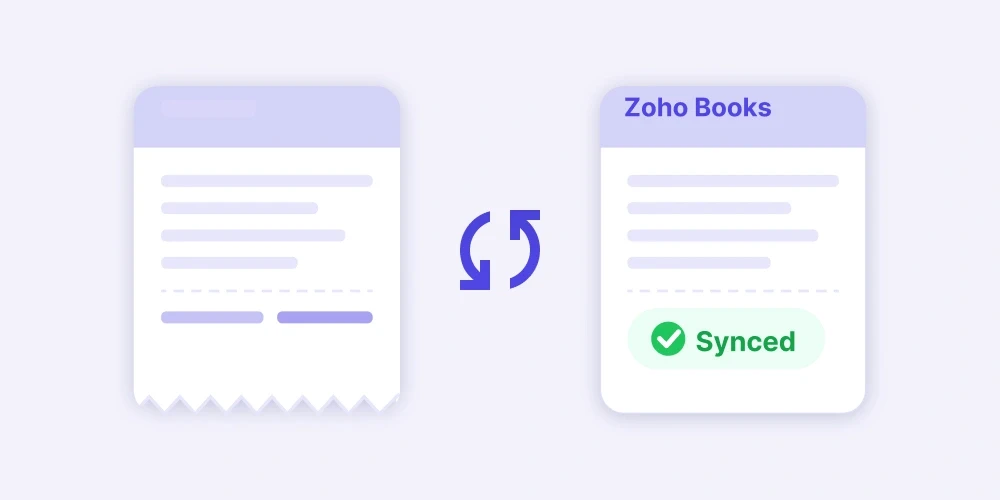
Select your transactions in CashBook and push them to Zoho Books with a single click. Each expense entry contains all details from CashBook including amounts, dates, categories, and notes.
Field Mapping and Auto-Categorisation
Map CashBook expense categories to Zoho Books accounts using field mapping. Once a rule is set, every future transaction in that category is tagged to the right account automatically.
Attachment and Receipt Syncing
All receipts and bills attached to transactions in CashBook are synced directly to the corresponding expense entry in Zoho Books. No more downloading and re-uploading files.
Vendor Syncing
Vendor information from CashBook flows into Zoho Books, keeping your vendor records consistent across both platforms.
Sync Status Tracking
See exactly which transactions have been synced, which are pending, and which need attention, all from your CashBook dashboard.
Full Control After Sync
Once a transaction is synced to Zoho Books, you have complete freedom to modify it within Zoho Books. CashBook does not overwrite any changes you make.
Get Set Up in Minutes
Connect CashBook to Zoho Books in three simple steps and start syncing UPI expenses the same day.
1
Connect Your Accounts
Log in to your CashBook Payments dashboard
Go to Integrations and click "Get Started Now"
Authorise CashBook to access your Zoho Books account
2
Configure Field Mapping
Select your Zoho Books organisation and payment account
Map CashBook expense categories to Zoho Books accounts
Enable GST sync to keep your tax records aligned
3
Sync Your Transactions
Review transactions and mark them as "Ready to Sync"
Select one or all transactions and push to Zoho Books
Expenses appear in Zoho Books with receipts and details
Everything Your Finance Team Needs Without the Manual Work
CashBook integrations help finance teams save time, reduce errors, and keep their books accurate without manual work.
Close Your
Books 10x Faster
One-click sync removes hours of manual entry. Your books close faster, every month.

Reduce
Manual Errors
Transactions move across exactly as recorded, so your team avoids re-entry mistakes.

Real-Time
Spend Visibility
Track project-wise spend across locations from one dashboard, in real time.

Sync Receipts
Automatically
Receipts sync with each transaction. Every entry is audit-ready from day one.
Secure,
Certified, Reliable
NPCI-certified, RBI-regulated, and bank-grade encrypted. Your data is always protected.

Auto-Categorise
Every Entry
Set field mapping once and every expense is tagged to the right account automatically.

We run permaculture collectives where communities co-own and farm large natural estates together. From farm operations to hospitality at our wilderness retreats, payments happen across multiple collectives and sites every day. CashBook lets us review and push everything to Zoho Books daily. Our finances are finally in one place.
Co-Founder
Beforest Lifestyle Solutions Pvt. Ltd.

We deliver fresh cold-pressed detox and wellbeing juices to subscribers across Hyderabad every single morning. Raw material purchases, packaging, and delivery costs happen every day without fail. Before CashBook, our Zoho Books was always behind. Now we review and sync daily, and our accountant is always working with live numbers.
Founder
NColdPressed

We run auto rickshaw branding, bus advertising, hoarding campaigns, and digital campaigns across Pune and other cities. Vendor payments, printing costs, and installation expenses move fast across 380+ clients. CashBook lets us review everything and sync to Zoho Books monthly. Our accounts are always clean before billing cycles close.
Founder
Prajapati Advertising

We install on-grid, off-grid, and hybrid solar systems for homes, businesses, and industrial clients across Tamil Nadu. Every project involves procurement, installation, and after-sales servicing. CashBook helps us review all project expenses before they hit Zoho Books. Monthly close is now clean and predictable every single time.
Operations Lead
Nigaran Green Energy Solutions

We manufacture polyurethane rollers, wheels, and industrial components at our Chennai facility and supply to clients across multiple industries. Raw material purchases, tooling costs, and vendor payments happen every day. With CashBook, we review each transaction and sync directly to Zoho Books daily. Our accounts are always current and our CA never has to chase us for data.
Director
Sara Indus Products
